PIPIPT

Enterprise

From existing products to complete AI-device delivery.

Start with your brand, product, idea or engineering team. Ask about a sample experience, or discuss your custom development needs directly.

What you have
Brand & channelsA matching productA defined ideaProduct & engineers
What Pipipt doesPipipt

Define · Connect
Develop · Validate

What you receive
Device
Experience
Handover
An AI product and its handover

Device, experience and delivery evidence
Defined for your service path

Four enterprise services, starting from what you already have.

For teams bringing an existing product to their brand, channel, or market with limited changes.

01 / What you have
Brand & channels
  • Brand / IP rights
  • Channels & target market
  • Expected volume & sales conditions
02 / What Pipipt does

Can include

  • Product, configuration, and availability stage
  • brand and packaging
  • content and experience
  • Target market, volume, and delivery conditions
03 / What you receive

You get

PIPIPT / 01Example deliverables

Configuration & adoption plan

Adoption evaluation · Establish what can be used

Baseline
Selected model / versionCheck product stage and configuration
Brand
Logo · Packaging copyIdentify changes covered by authorization
Experience
Opening line · LanguageDefine configurable options and limits

Get a defined adoption proposal: the available product, permitted changes, and the next delivery scope.

View deliverables and acceptance responsibilities

Configuration & adoption plan · Sample excerpt

ItemWhat the deliverables includeHow we review it together
Product & configurationRecord the version, configuration choices and available stage.Confirm each included item; unresolved items stay outside the delivery scope.
Brand & contentThe client supplies authorized assets; Pipipt identifies adaptation points and limits.Review examples of branding, copy and content configuration.
Next stageList the required samples, conditions and deliverables.Agree scope and acceptance criteria before proceeding.
Customer

Provide brand rights, market and channel conditions.

Pipipt

Check product availability and permitted changes.

Joint agreement

Agree configuration, adoption scope and next-stage acceptance.

Illustrative deliverables, not a client case study.
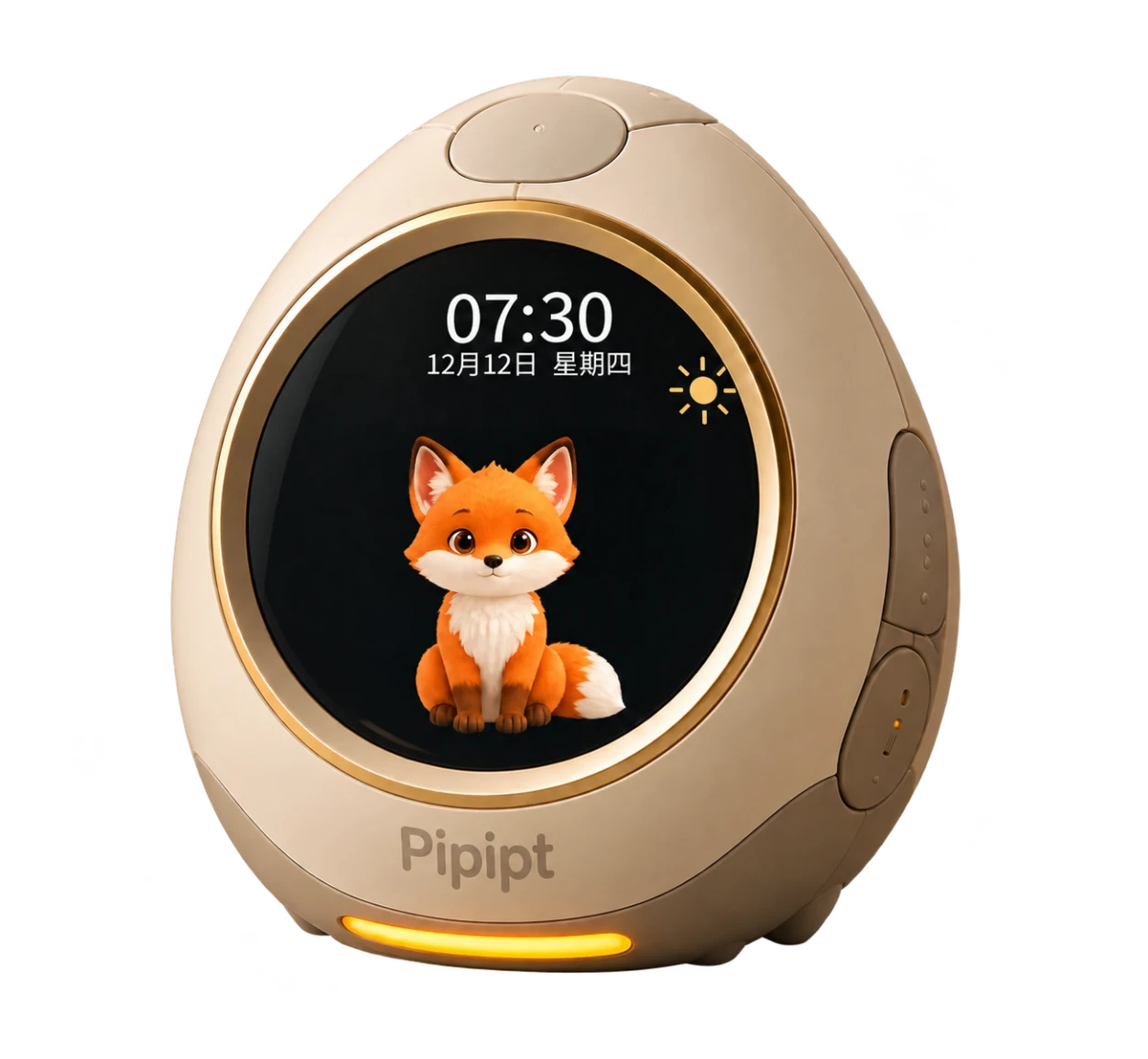
For teams with a matching product direction that needs changes for users, market, or brand.

01 / What you have
A matching product
  • A selected product base
  • User & market differences
  • What stays and what changes
02 / What Pipipt does

Can enter project evaluation

  • hardware, firmware, and device
  • app, software, and user experience
  • AI, voice, and content experience
  • brand, validation, and delivery
03 / What you receive

You get

PIPIPT / 02Example deliverables

Customization change sheet

Customization evaluation · Keep, change, verify

Keep

The selected product’s core experienceRetained behavior is checked again

Edit

Standard → Branded openingReview content rights and the way to exit

Effect

Content configuration → Sample checkRecord dependencies and acceptance methods

Get the customization scope and its impact on experience, validation, and delivery, based on evaluation of the specific product.

View deliverables and acceptance responsibilities

Customization change sheet · Sample excerpt

ItemWhat the deliverables includeHow we review it together
KeepIdentify the baseline version and experience to retain.Verify that retained behavior still works after the change.
ChangeExample: replace the standard opening with a branded one. The client supplies authorized content; Pipipt assesses configuration or development work.The sample presents the agreed content and provides a usable pause or exit.
Impact & scopeRecord implications for hardware, software, AI, validation and delivery.Agree the change list, exclusions and validation records.
Customer

Define required changes and what must remain.

Pipipt

Evaluate changes, dependencies and experience impact.

Joint agreement

Agree changes, sample validation and delivery boundaries.

Illustrative deliverables, not a client case study.

For teams with clear users, scenarios, and goals that need development from definition to a complete product.

01 / What you have
A defined idea
  • Target user & use scenario
  • Product goal & core experience
  • Market, budget & delivery constraints
03 / What you receive

You get

PIPIPT / 03Example deliverables

Stage handover package

Phased handover · A defined output at each step

  1. Definition packageScenarios · System roles · Scope
  2. Prototype packageAgreed device / software · Instructions
  3. Validation & handover packageResults · Open issues · Handover notes

Get an agreed product plan, stage outputs, validation, and deliverables, progressing toward a working product.

View deliverables and acceptance responsibilities

Stage handover package · Sample excerpt

ItemWhat the deliverables includeHow we review it together
DefinitionProduct proposal, key experience and system roles.Align on users, scenarios, responsibilities and scope.
PrototypeThe agreed device, software, configuration and operating instructions.Demonstrate agreed scenarios; record versions and unfinished items.
Validation & handoverValidation records, open issues, version list and handover notes.Review results and remaining responsibilities; agree what is accepted.
Customer

Define users, goals, budget and business constraints.

Pipipt

Advance system design, development and validation within scope.

Joint agreement

Review stage outputs, acceptance evidence and handover inventory.

Illustrative deliverables, not a client case study.

For teams with hardware, an app, backend, or engineers that need selected capabilities.

01 / What you have
Product & engineers
  • Existing device, app or backend
  • Engineers & system interfaces
  • Capability gaps & deployment needs
02 / What Pipipt does

Integration layers that can be evaluated

  • Device identity, runtime & connectivity
  • Realtime voice, models & policy
  • State, releases & updates
  • Operations, reliability & delivery evidence
03 / What you receive

You get

PIPIPT / 04Example deliverables

Integration scope & validation report

Interface evaluation / Integration · Keep your system

Your device
App / Backend
Pipipt
Agreed interfaces
InterfaceVersion · Input · Response
BoundaryAccess · Data · Ownership
Test recordExpected / Actual / Issues

Get integration scope, each party’s interface responsibilities, and validation methods. Compatibility is confirmed against current capability and project conditions.

View deliverables and acceptance responsibilities

Integration scope & validation report · Sample excerpt

ItemWhat the deliverables includeHow we review it together
Interfaces & versionsThe client provides existing interfaces; Pipipt specifies capabilities, versions and dependencies.Check inputs, responses, error handling and responsible owners.
Access & dataSpecify where data flows, who may access it and who manages it.Review access permissions, data boundaries and deployment conditions.
Integration recordsFor each check, record conditions, expected behavior, actual results and issues.Review normal and failure paths; untested results remain blank.
Customer

Provide existing interfaces and engineering contacts.

Pipipt

Review capability, interfaces, versions and integration conditions.

Joint agreement

Agree compatibility, data responsibilities and integration acceptance.

Illustrative deliverables, not a client case study.

Working boundaries

Before the project starts, confirm the customer’s existing product and assets, Pipipt’s scope, and the outputs, interfaces, and acceptance methods agreed by both parties.

Complete product capability

What can Pipipt cover in an AI device?

Combine the required layers for your service path. Confirm the delivery scope during project evaluation.

01Define the product

Product definition & system design — Define the user, moment, and goal; design device, app, backend, and AI as one system.

Product relationship sketch

What are we building, and where does it stop?

01User / Scenario
02Core experience
03Device · App · Service
04Scope & acceptance

Review together: user, scenario, core experience and delivery scope.

02Make the device work

Hardware, firmware & runtime — Advance the device, connectivity, and release foundation.

Product relationship sketch

How do device, connectivity and release work together?

01Device & modules
02Firmware / Runtime
03Connection & state
04Release check

Review together: target hardware, interfaces, operating conditions and release.

03Connect the experience

App, backend & data — Support configuration, control, state, operations, and management.

Product relationship sketch

How does a user action reach the device?

01App settings
02Backend processing
03Actual device state
04User-visible feedback

Review together: applied settings, reported state, permissions and data ownership.

04Turn AI into behavior

AI, voice & policy — Turn intelligence into visible, controlled product behavior.

Product relationship sketch

After understanding a request, how does the product respond?

01Hear & understand
02Model & policy
03Respond or act
04Result & boundary

Review together: appropriate response, authorized action and confirmed result.

05Make delivery verifiable

Connectivity, releases, validation & operations — Support launch, OTA, recovery, delivery, and continued operation.

Product relationship sketch

How do we verify the agreed outputs?

01Agreed release & scope
02Test / validation records
03Failure & recovery
04Handover review

Review together: release, outputs, validation records and handover inventory.

Project conditions to confirm before evaluation

Evaluation starts with market, use environment, existing technology, brand/IP, compliance, volume, and delivery goals. Providers, chips, protocols, certification, pricing, MOQ, schedule, and production conditions require separate confirmation.

Why Pipipt

Start with the product, then check the capabilities your project needs.

Explore a product, platform capability or application scenario to find the right starting point for your project.

Product design and experience

AI Companion Robot for Kids

See how the device, parents and AI work together to help a child begin.

Owned product · Design stage

How does a morning experience become system roles?

From the companion-robot experience design
01 / Device

Make the first step tangible

Use physical interaction to cue one small, achievable action.
02 / Parent app

Keep planning and control with parents

Adults own settings and controls. Observation does not replace care.
03 / AI & family

Invite, listen and give specific feedback

The child acts; the family makes decisions.

Let help end, and reconnect with real life.

Product stage & feature scope

A companion-robot example showing product design and responsibilities. Form, features and production plans remain to be confirmed; outcomes still need observation in real use.

Contact us to learn about product samples, demos and validation materials suited to your project.

Found the right starting point?

Let’s discuss your starting point